Skip to content
Progress Pics - Body Tracker

See your body
transformation clearly.

Progress Pics - Body Tracker is the private, beautifully simple way to capture, compare and understand your body transformation. Your photos stay on your device, and your progress stays in your hands.

5.0
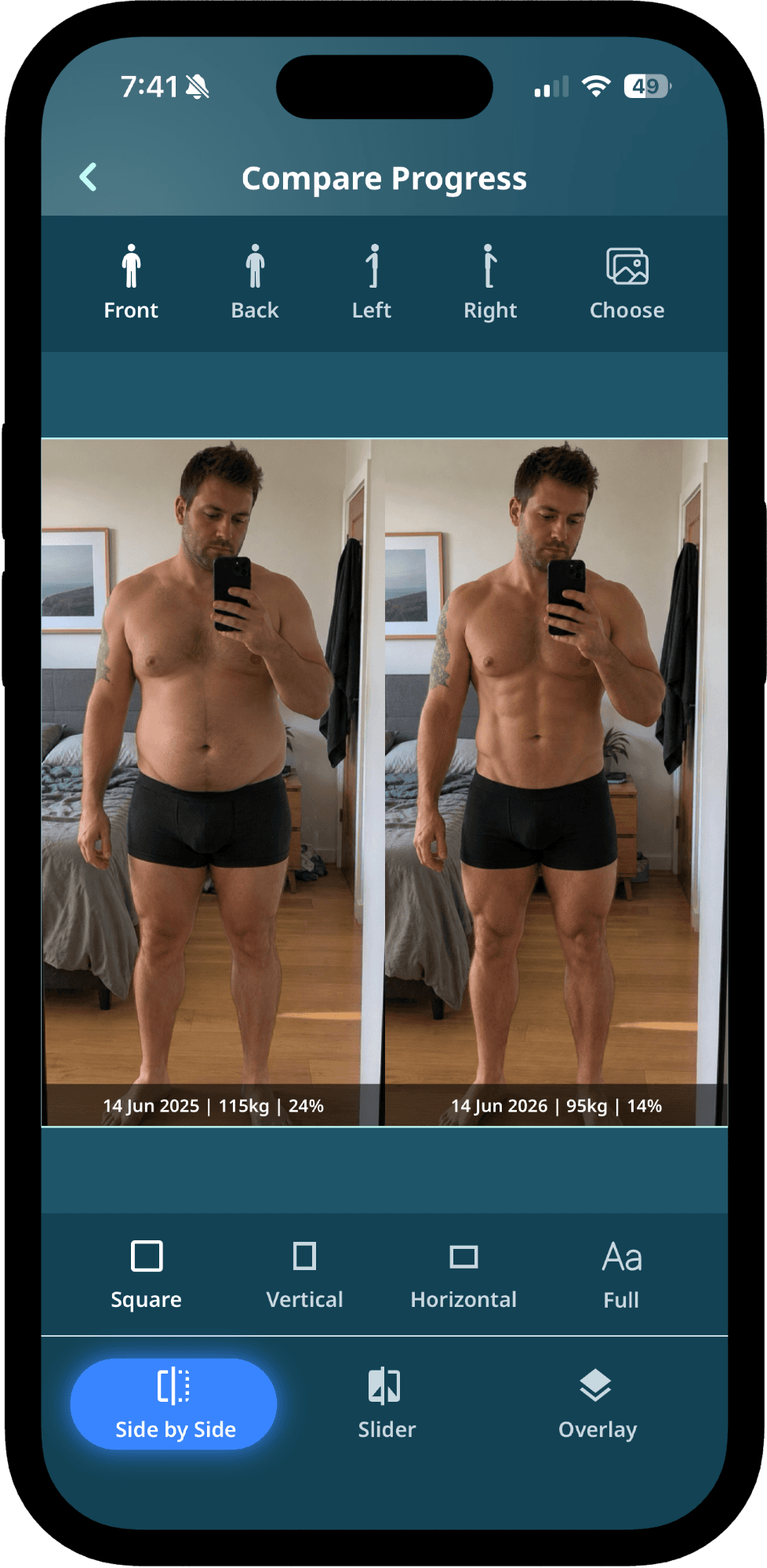
Progress Pics - Body Tracker compare mode showing two check-ins side by side
Private by default

100%

Local-first storage

Body fat

AI

Photo-based estimates

Compare modes

3

Side, slider, overlay

Themes

6

Color themes

Features

Everything you need to track real progress

Designed for serious tracking, without the data harvesting. From first check-in to side-by-side wins, Progress Pics - Body Tracker keeps the workflow tight and the data yours.

Four-angle check-ins, in seconds

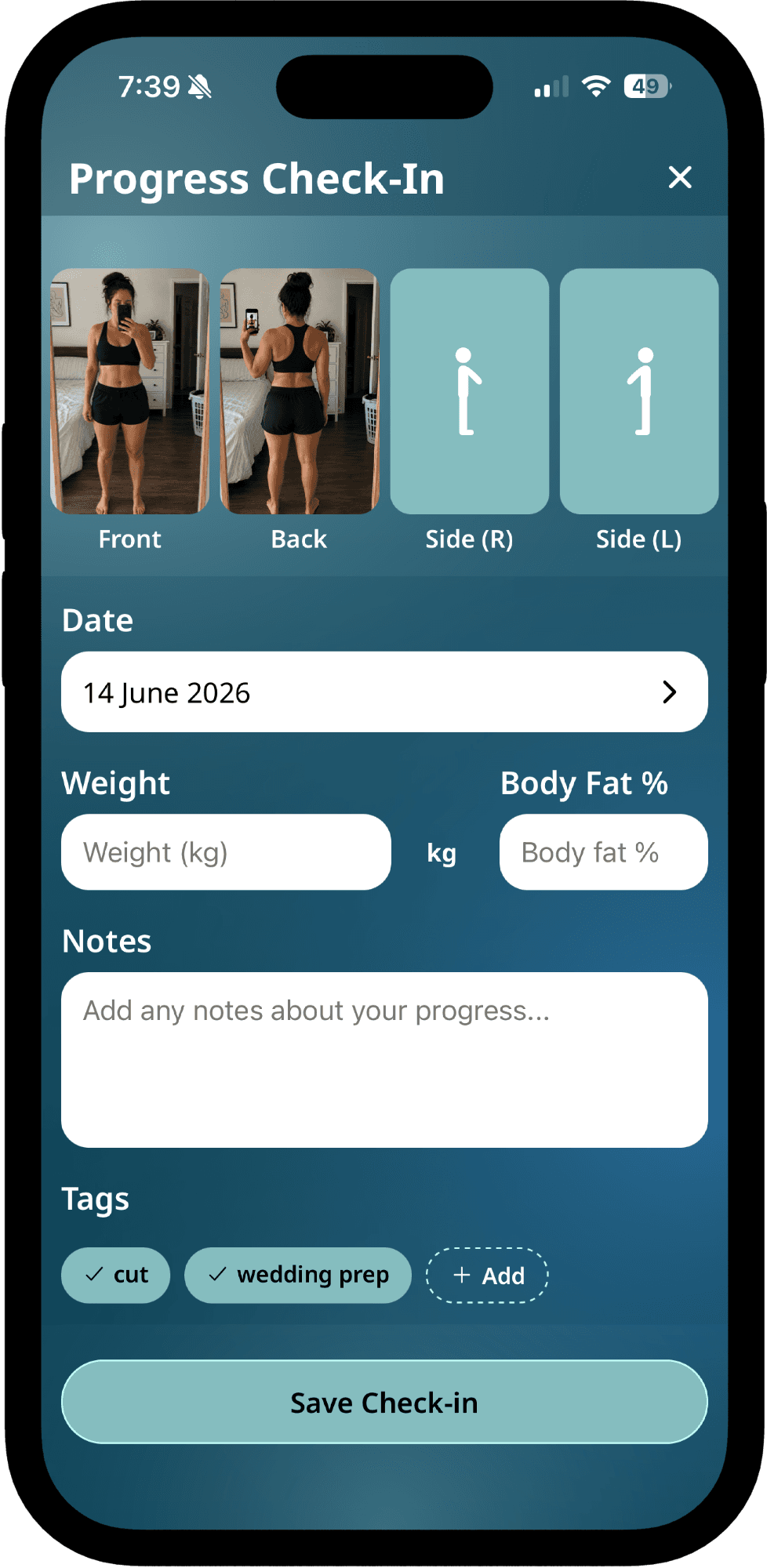
Capture front, back and both sides with framing guides. Notes, weight and measurements all go in the same flow, so there’s no app-hopping.

  • Pose silhouettes for consistent angles
  • Auto-organised by date
  • Optional weight, body fat & measurements
Front angle progress check-in photoFront
Back angle progress check-in photoBack
Left angle progress check-in photoLeft
Right angle progress check-in photoRight

Local-first, by design

Your photos live on your phone, protected by your device's data protection. No accounts required, no analytics on your images.

Encryption

AES + Face ID / PIN lock

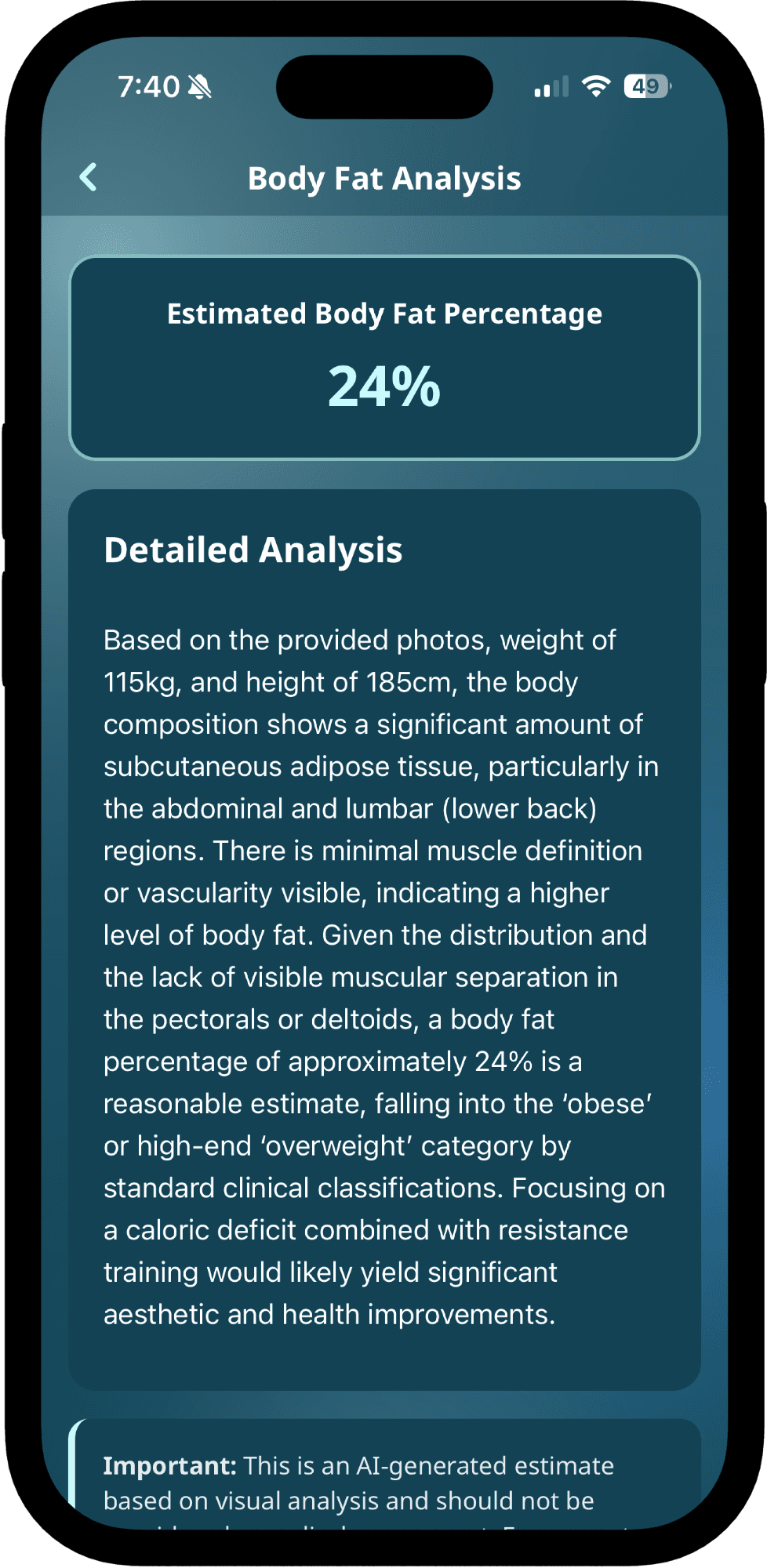
Body fat, from a photo

An on-demand estimate from your check-in photos. No calipers, no guesswork. Trend it over time inside the app.

Body fat percentage estimate from a photo in Progress Pics - Body Tracker

3 ways to compare

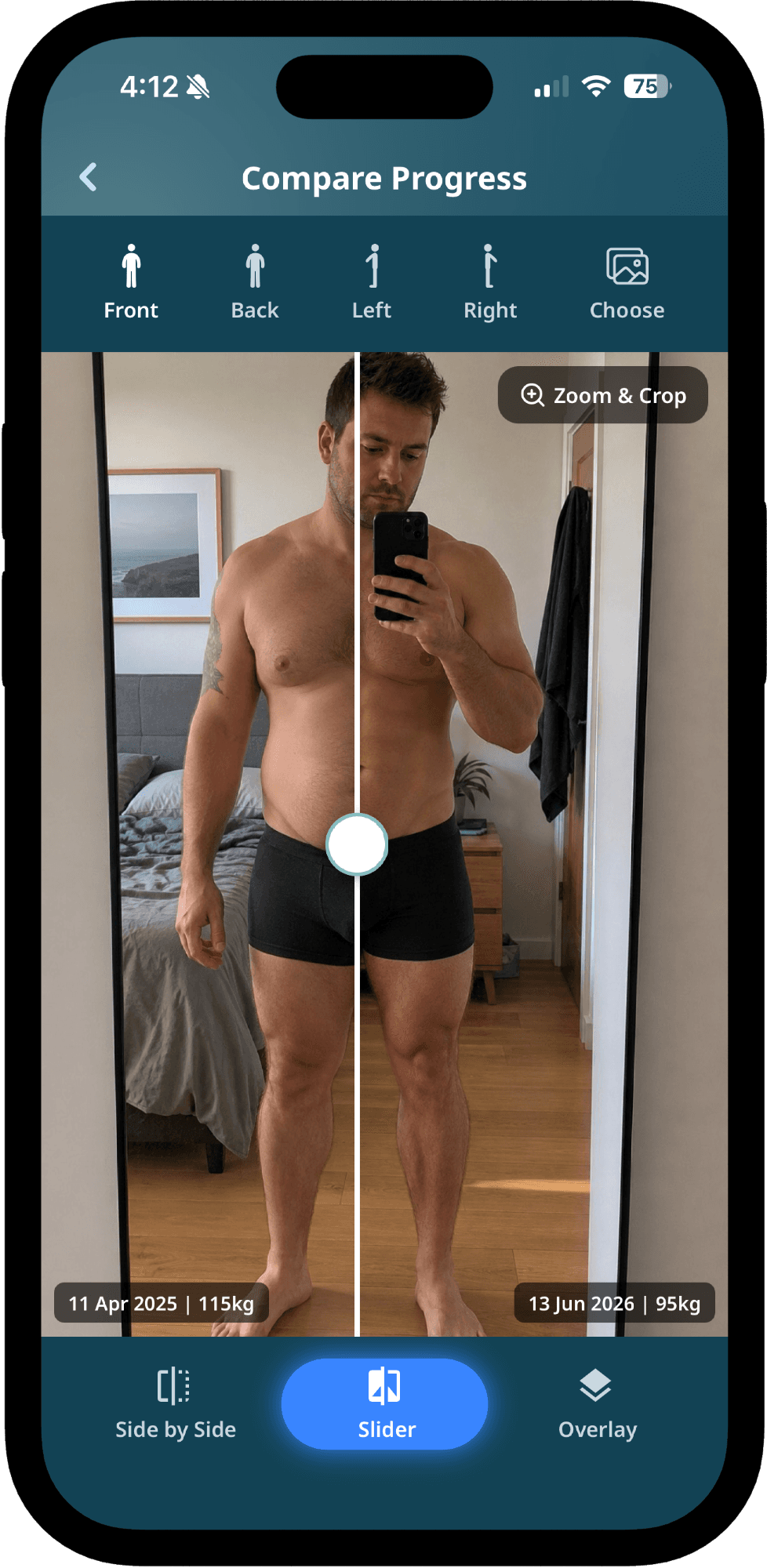
Side-by-side, slider reveal and overlay. Pick any two check-ins and see exactly what changed.

Slider reveal comparison view in Progress Pics - Body Tracker

Charts that mean something

Weight, body fat and measurements plotted over time, with smooth moving averages instead of just noise.

Goals with a real finish line

Set a target weight or body fat percentage. Progress Pics - Body Tracker projects when you’ll hit it, based on your own check-in history.

  • Weight & body fat targets
  • Projected finish date from your trend
  • On-track or behind, at a glance

Tag and filter your check-ins

Label any check-in, then filter your history down to the phases that matter, from a bulk to a cut to a holiday.

BulkCutDeloadVacationPR week

Stay consistent without nagging

Pick the days and times that fit your routine. Skip a week? No guilt, just helpful nudges.

MonTueWedThuFriSatSun

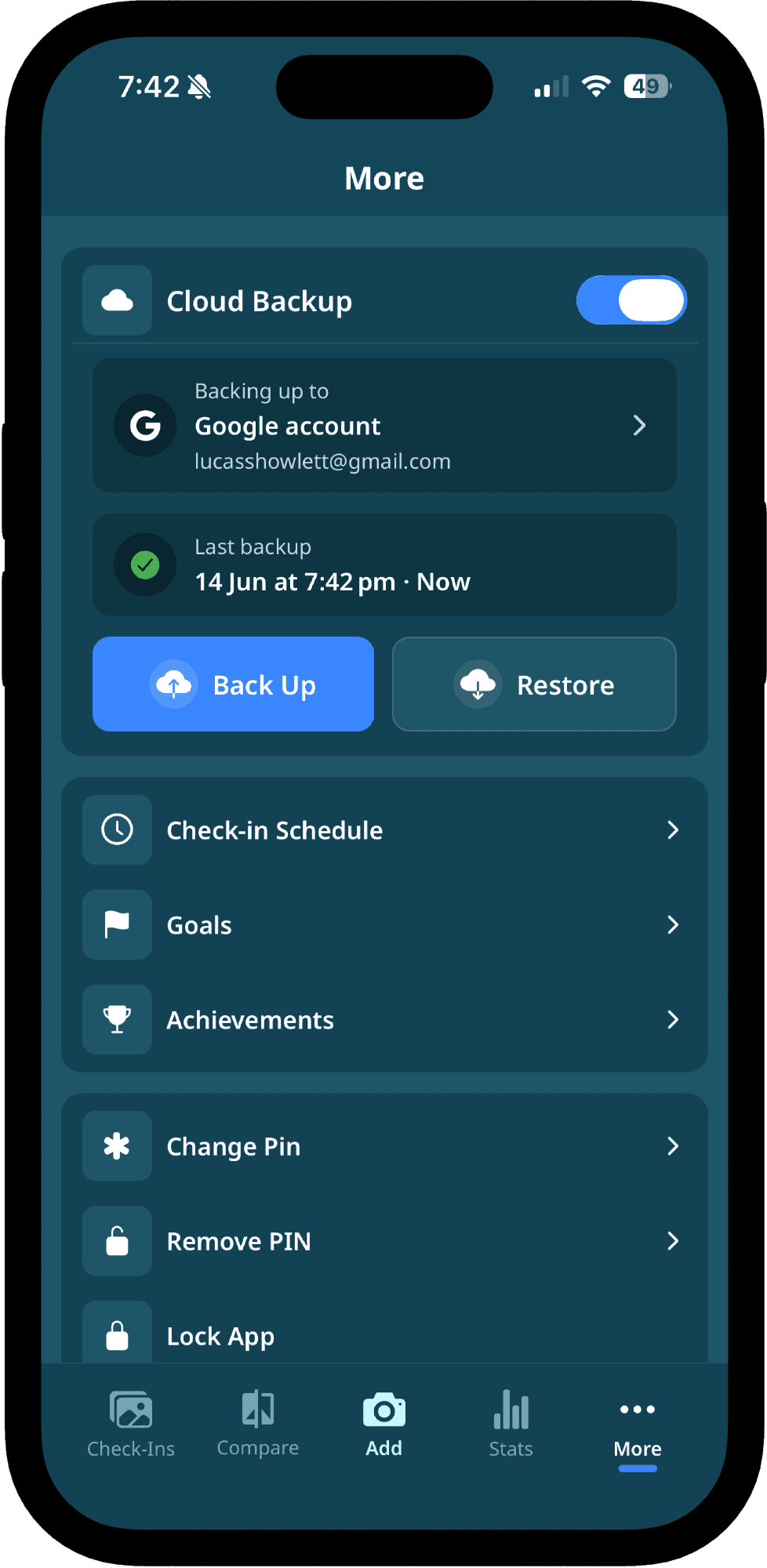
Optional, end-to-end encrypted cloud backup

Need a safety net? Turn on cloud sync to restore your journey on any device. Photos are encrypted on your phone with a 24-word recovery passphrase before they ever leave it — only you can decrypt them.

Beautifully simple

A home screen that motivates you to keep going

Your latest check-in front and centre, your streak in plain view, and one tap to your next photo. No clutter, just the signal that keeps you consistent.

Progress Pics - Body Tracker dashboard

6 hand-picked themes

Match the app to your vibe, from quiet zen to high-contrast focus. Switch anytime.

Body Fat AI

An honest body fat estimate from your check-in photos

No calipers, no smart-scale guess work. Progress Pics - Body Tracker analyses your latest set of check-in photos and gives you a body fat percentage estimate you can actually trend.

Photo-only

No tape measure needed. Runs on your latest check-in, height and gender.

Trend it over time

See the moving average, not just one-off numbers.

Stays private

Estimates run privately tied to your check-in.

Built-in context

Pair it with weight & measurements for the full picture.

Compare

See exactly what changed, three ways

Pick any two check-ins, then choose the comparison style that tells the story best. Built for the moment when 6 weeks of work finally clicks into focus.

Side-by-side

Place two check-ins next to each other, perfectly aligned.

Slider reveal

Drag to wipe between two photos and reveal the change.

Overlay

Stack two photos with adjustable opacity to spot subtle differences.

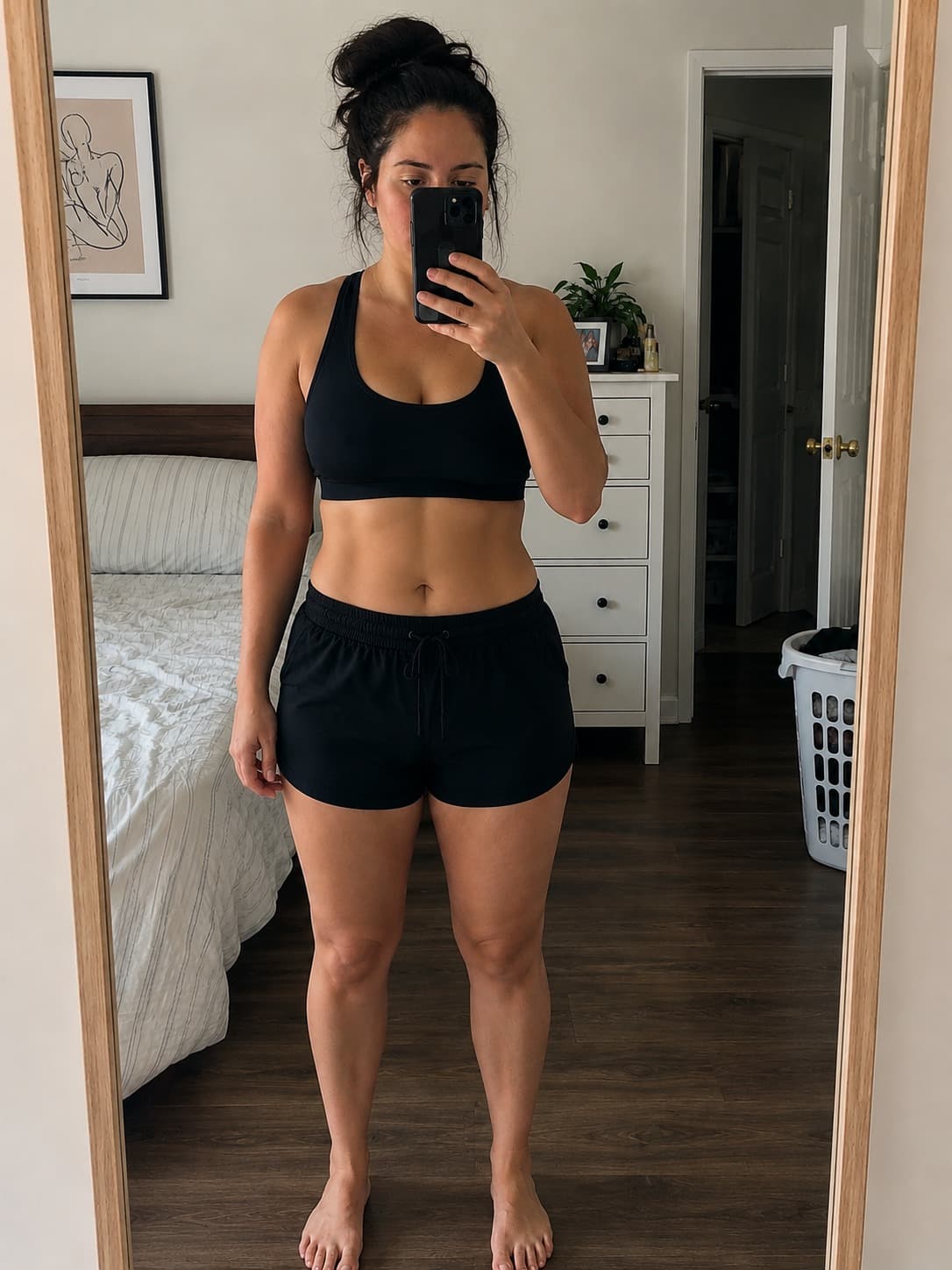
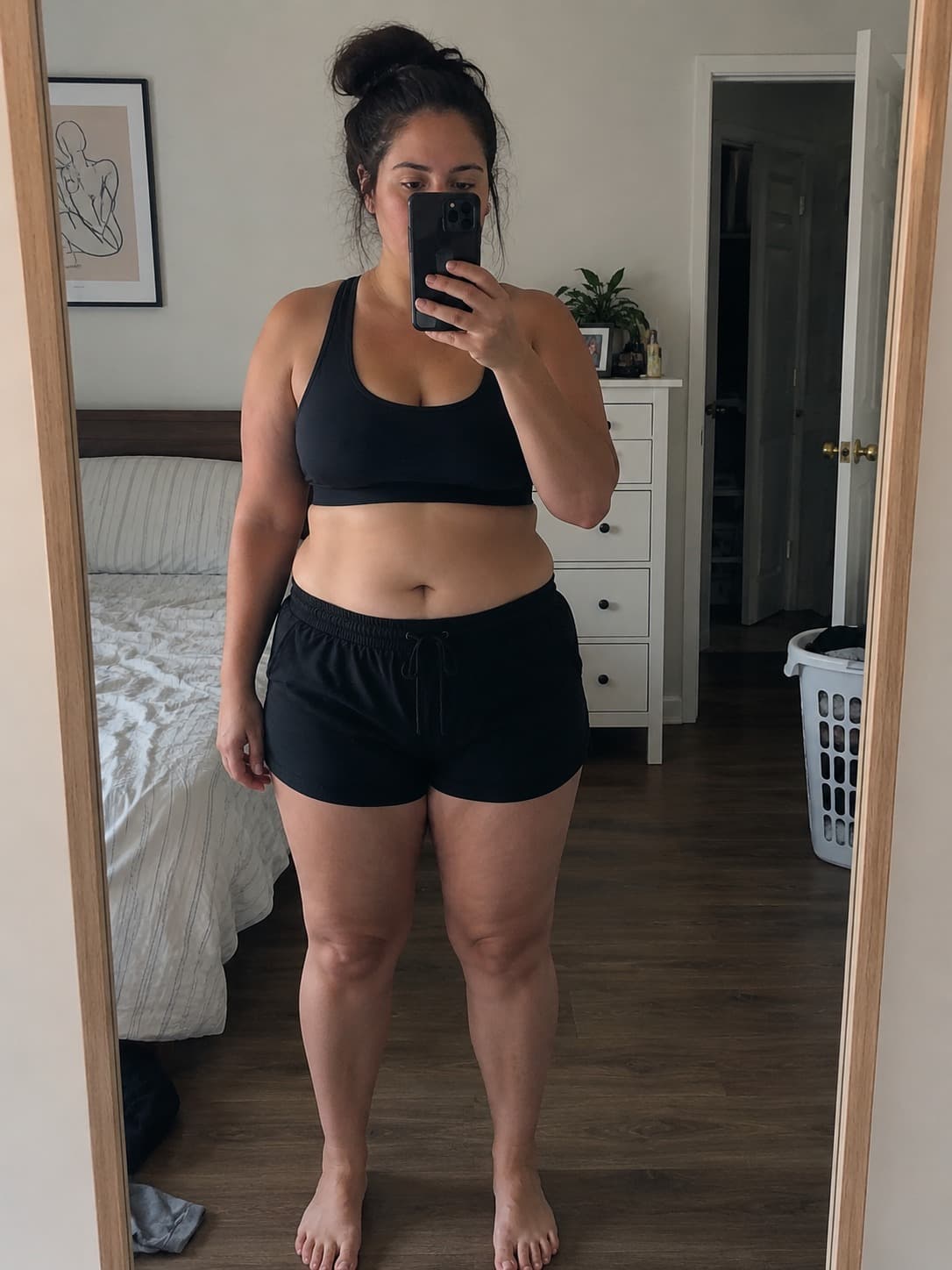
Body transformation progress photo after
Body transformation progress photo before
BeforeAfter
Privacy

Your body. Your photos. Your phone.

Progress Pics - Body Tracker is built privacy-first. By default, every photo, note and measurement is stored locally on your device, encrypted and protected by Face ID or a PIN. Cloud backup is fully optional.

  • Local-first storage, no account required to start
  • Face ID, Touch ID and PIN lock for the whole app
  • Encrypted on-device using iOS secure storage
  • Optional encrypted cloud backup, opt-in and off by default
  • We never sell, share or train on your photos
Themes

Six color themes. One that’s yours.

The whole interface (buttons, charts, accents) adapts to the theme you pick. Switch any time from settings.

Core

The signature teal, calm and clean.

Pulse

High-energy electric blue.

Zen

Soft sage for a quiet rhythm.

Focus

Deep slate for sharp contrast.

Glow

Warm rose for the after-shower glow.

Dream

Lavender hues to slow you down.

See it in action

A polished interface, designed for daily use

Every screen is built to keep your tracking ritual short, so you actually do it.

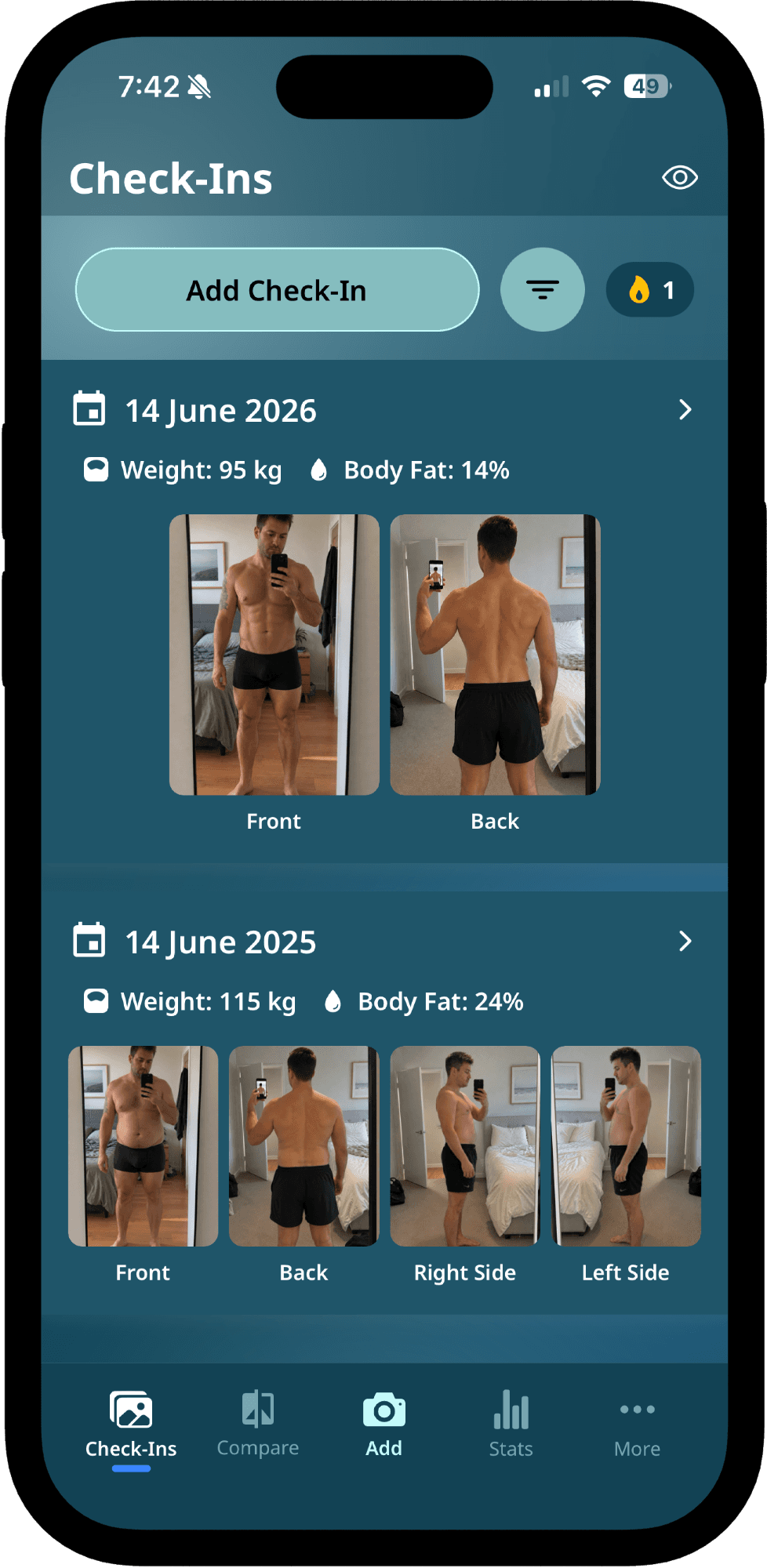
  • Check-ins list with recent progress photos

    Home

    Your check-ins at a glance

  • New check-in form with weight, body fat and notes

    Check-in

    Log weight, body fat & notes

  • Side-by-side photo comparison

    Compare

    Two check-ins, side by side

  • AI body fat percentage estimate

    Body fat

    AI-powered estimate from photos

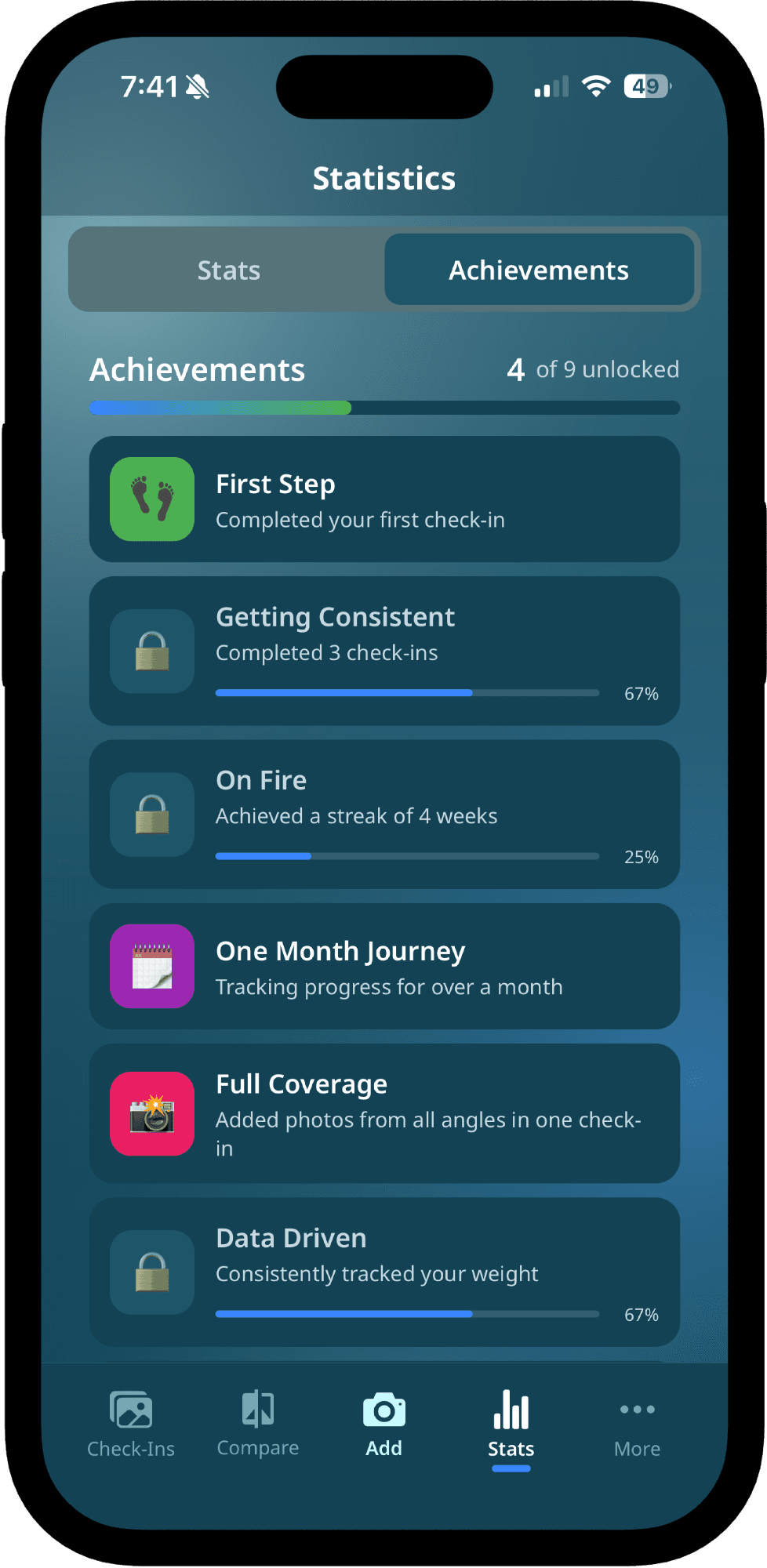
  • Achievements and milestones screen

    Achievements

    Unlock milestones as you go

  • Encrypted cloud backup settings

    Cloud backup

    Optional encrypted backup

“I built Progress Pics for myself first. Taking a photo every week keeps me on track, and lining the check-ins up side by side is what keeps me motivated when progress feels slow.”
LLucas HowlettFounder, Progress Pics
FAQ

Questions, answered

The short version of the most common questions about Progress Pics. Need something else? Reach out. We’re a small team that actually replies.

  • 01Is Progress Pics - Body Tracker really private?

    Yes. By default, every photo, note and measurement is stored locally on your device using iOS secure storage. We don't require an account, we don't see your photos, and we don't share data with advertisers. Cloud backup is fully optional and encrypted.

  • 02How does the body fat percentage estimation work?

    When you take a check-in photo, you can request an AI-based body fat percentage estimate from that photo. It analyses visual cues from your check-in to produce an estimate. It's designed as a tracking signal, useful for trends rather than as a clinical measurement.

  • 03How accurate is the AI body fat estimate?

    The estimate is intended as a tracking signal that's most useful when viewed as a trend over time. Accuracy depends on lighting, pose consistency, and image quality. Use the same lighting and pose for the most reliable trend, and pair it with weight and measurements for fuller context.

  • 04Do I need an account to use the app?

    No account is needed for the core experience. You can install the app, take your first check-in and start tracking immediately. An account is only required if you turn on cloud backup.

  • 05What devices does it support?

    Progress Pics - Body Tracker is currently available on iPhone via the Apple App Store. iPad is supported. Android support is on the roadmap.

  • 06How are check-in photos compared?

    You can compare any two check-ins three different ways: side-by-side, with a slider that wipes between two photos, or as an overlay with adjustable opacity. Each works for front, back and side angles.

  • 07Can I set goals in the app?

    Yes. You can set a target weight or body fat percentage, with an optional target date. Progress Pics - Body Tracker tracks how far you've come and projects an estimated finish date from your own check-in trend, so you can see whether you're on track or need to adjust.

  • 08Can I organise or filter my check-ins?

    Yes. You can add custom tags to any check-in, like bulk, cut, deload or vacation, and then filter your history by those tags. It's an easy way to jump to a specific phase of your journey without scrolling through everything.

  • 09Can I export or back up my progress photos?

    Yes. You can enable optional cloud backup to securely sync your photos and progress data, restore on a new device, and keep a safety net in case your phone is lost. Cloud backup is encrypted and opt-in.

  • 10Is Progress Pics - Body Tracker free?

    The app is free to download with the core check-in and tracking features. Some advanced capabilities, like cloud backup, body-fat AI estimates, extra compare modes and custom themes, are part of an optional subscription.

  • 11How often should I take progress photos?

    Once a week is the sweet spot for most people. Progress over a single week is usually too small to notice visually, so weekly check-ins give a clear signal without becoming overwhelming. Set a custom reminder in the app to make it automatic.

  • 12How do I take consistent progress photos?

    Use the same spot, same lighting (natural daylight is ideal), same pose, and same outfit each time. The app shows pose silhouettes to help align each angle, and your previous check-in is just one tap away for reference.

  • 13How do I stay consistent?

    Set a custom reminder schedule (days and times) inside the app. Notifications nudge you for your next check-in without being annoying, and there's no shame for skipping a week.

  • 14Will my photos be used to train AI models?

    No. Your photos are never sold, shared, or used to train models. By default, your photos never leave your device. If you turn on optional cloud backup, photos are stored encrypted, used only to sync your account, and remain yours.

Start tracking today

Your transformation deserves a tracker that respects it.

Free to start. No account required. Photos stay on your device. Download Progress Pics - Body Tracker and take your first check-in in under a minute.